
Markets and houses
Markets
Section titled “Markets”In game, the addon keeps prices per market: your region, realm and faction, written like
eu-6841-horde (the realm by its number). Characters of the same faction on the same realm share
a market; a character on another realm or faction has its own. Nothing is recorded, and the sniper
does not start, until the game has said all three.
A neutral auction house, such as Booty Bay’s, is not told apart from your faction’s yet: what you scan there is recorded under your faction’s market.
Houses
Section titled “Houses”The price server knows auction houses by number, several per region and faction, and does not say which realms each one serves. So the app finds yours by comparison:
- In game, the addon keeps a small sample of the prices it read at your market (the 60 items read most recently), with when it read them.
- The app imports it, asks the server for the latest prices of each candidate house of your region and faction (up to 5), and compares them on your computer, line by line. A line counts only when the server’s snapshot was taken within 6 hours of the addon’s read, and agrees when it is within 5% (within 1 copper under 20 copper).
- A house is taken when at least 5 lines could be compared, at least 60% of them agree, and it leads the next house by at least 25 percentage points. Anything less is said as it is, never turned into a guess.
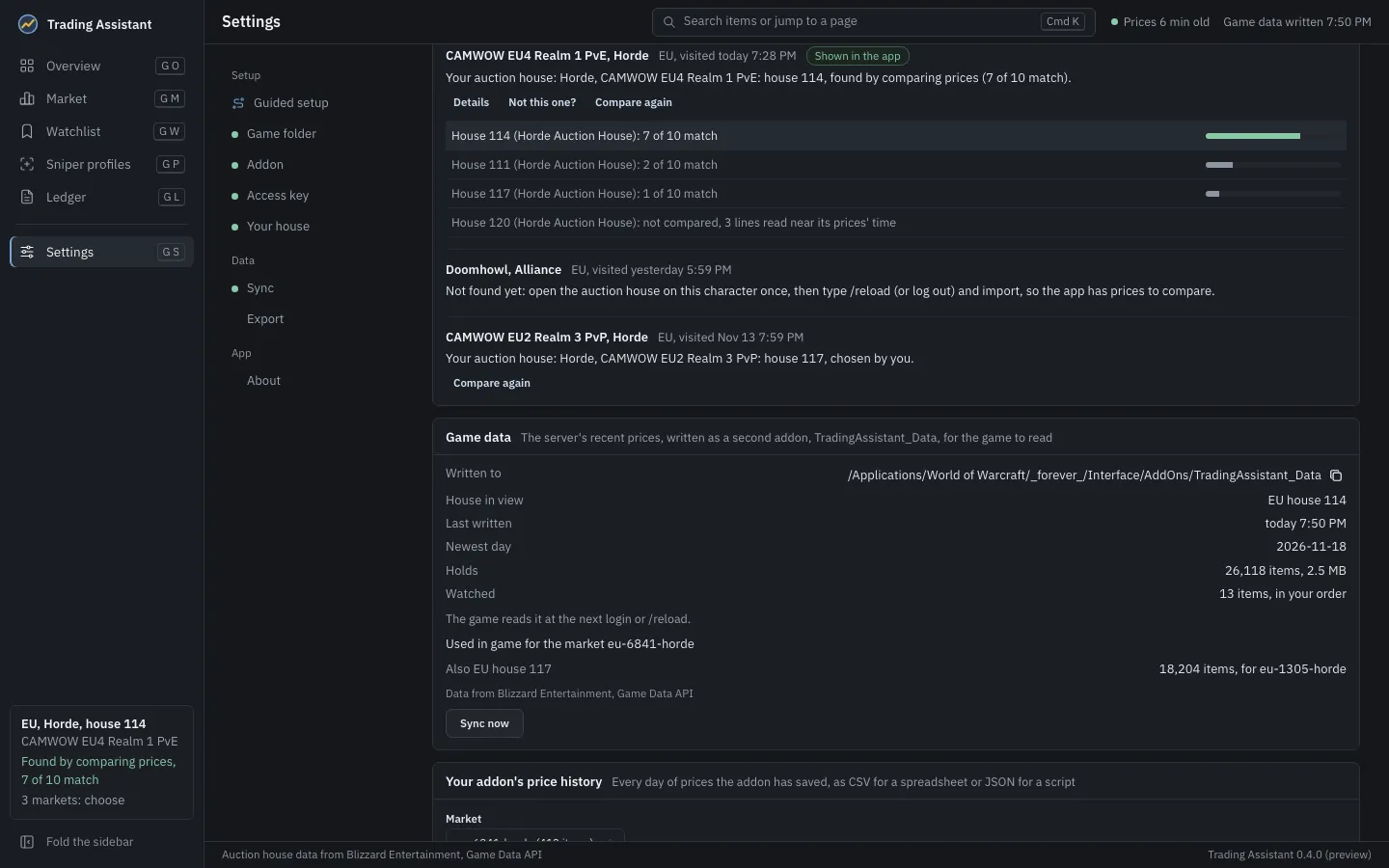
Settings, Your house shows each market’s house with its evidence: each candidate and how many of its lines agree. Compare again runs the comparison again; Not this one? lets you choose the house by hand. A house you chose is never replaced by a comparison; one found by comparison is replaced only by another match. A house found for one market is never assumed for another.
If no house is found yet, the app says what to do: open the auction house on that character once,
then /reload (or log out) and import, so it has prices to compare.
The house in use
Section titled “The house in use”The house the app shows (at the foot of its sidebar) is the one kept for the market you visited most recently, or else the one remembered for that region. With characters on several markets, the card at the foot of the sidebar lets you choose. The app’s Overview, Market and the game data sync all use it.
The data file the app writes names the markets each house serves, and the addon uses server prices only at a market the file names: a house number alone does not say which of your characters it serves, and judging with another realm’s prices would make every deal wrong.