
Sync and the data file
The addon cannot reach the internet: an addon only reads what is in the game’s folder. So the app
writes the server’s recent prices there, as a second addon named TradingAssistant_Data, and the
game loads it with Trading Assistant at the next login or /reload.
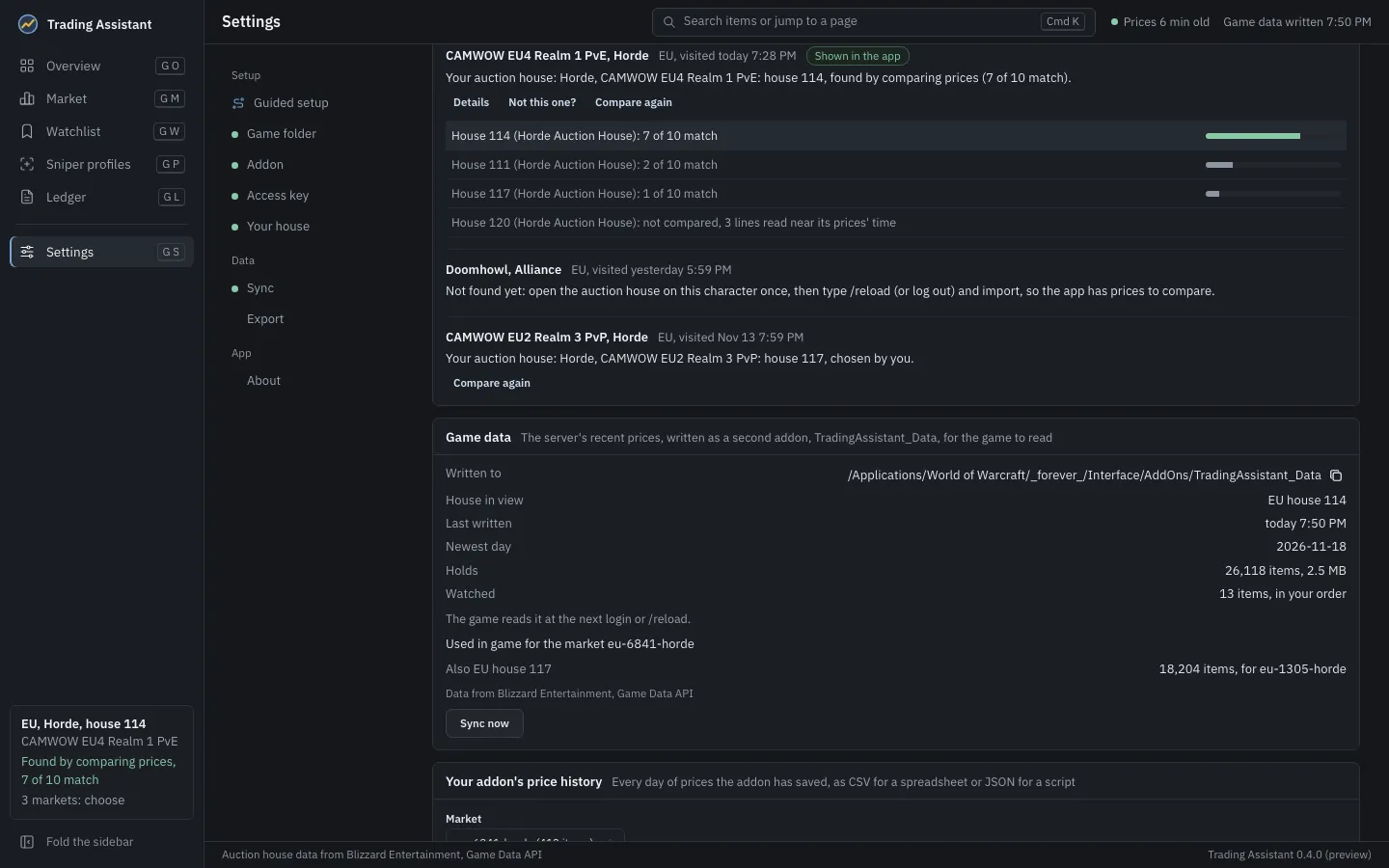
What is written
Section titled “What is written”The data addon is a folder, Interface/AddOns/TradingAssistant_Data/, holding exactly two files,
TradingAssistant_Data.toc and Data.lua. Data.lua holds, for your house (and up to two other
houses you keep, the one in view first):
- one median price and one average quantity per item per day, for the last 30 days at most;
- which of your markets each house serves, so the addon uses its prices only at the right one;
- your watchlist, in your order;
- where the data comes from, and when it was written.
It is written from the app’s own figures only, never by copying text from the server into it.
When it is written
Section titled “When it is written”- after the import the app runs when it starts;
- every 30 minutes while the app runs;
- a few seconds after you change the watchlist;
- when you press Sync now (on the Overview, in Settings, Sync, or in the command bar).
Two syncs never run at once. When the server has nothing newer for the same house, nothing is written.
Settings, Sync shows where it was written, the house, when, the newest day, how many items and how large, and how many watched items it carries. It also says which markets the game will use it for; until it can name one, it says what to do (see Troubleshooting).
In game
Section titled “In game”/ta data says whether the server’s prices are in use at the market you are on, and if not, why:
not installed, written by a newer app, for another market, or too old. The addon does not use
server prices whose newest day is more than 3 days old, and gives an item a usual price from them
only when the server has a price on at least 3 of the 14 days before today. See
The usual price.
The addon works without the data addon: it then has only your own scans.